

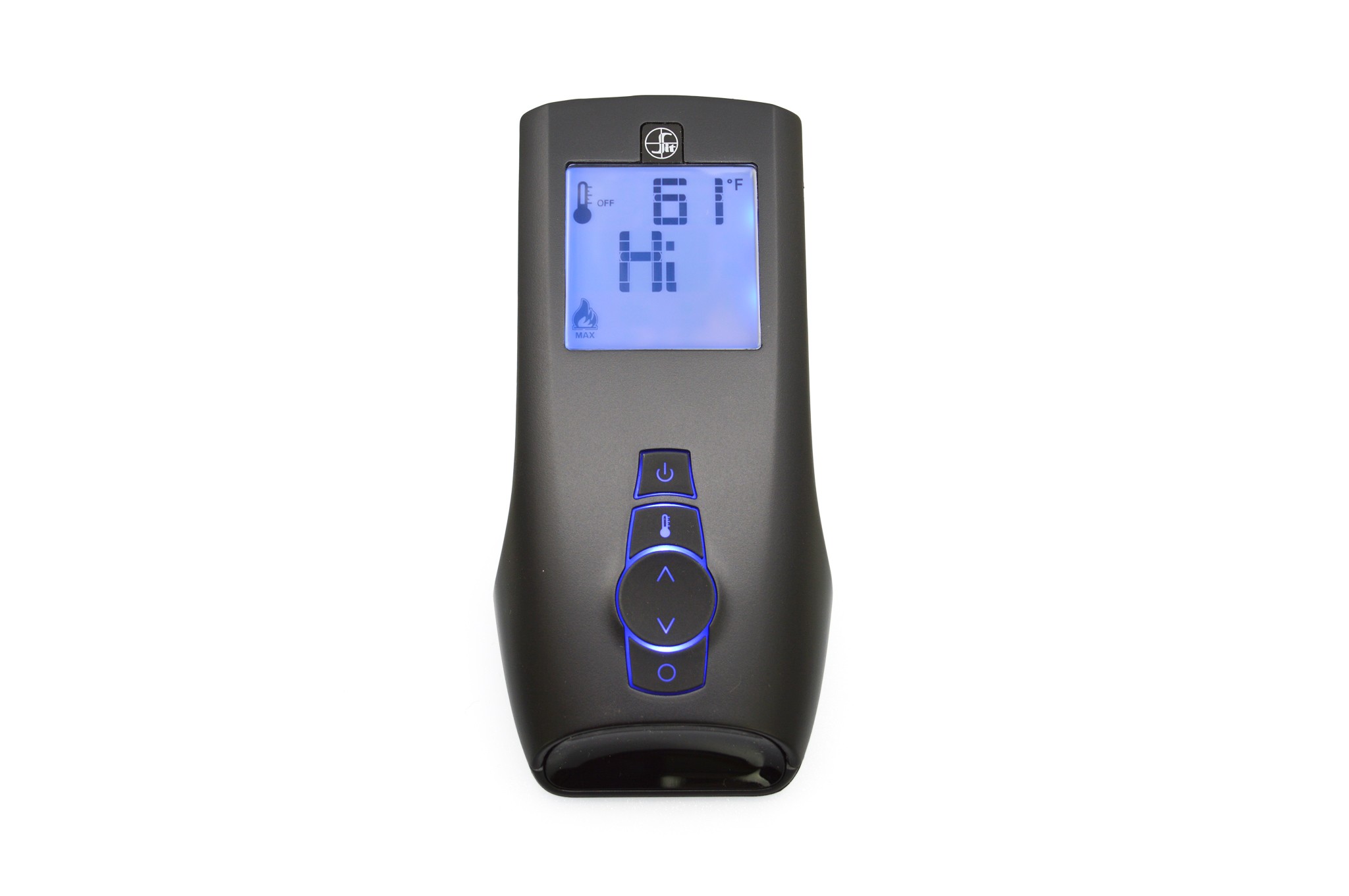
Empire R11550 Proflame 2 Remote Transmitter
Images


Empire R11550 Proflame 2 Remote Transmitter
$189.00
Was
$229.99
Save
$40.99
(18%)

HURRY! Deal ends in
11h 32m 28s
Qty:
1
Lowest price ever!
Ships same business day
Thank you!
We will send you an email notifying you as soon as this item becomes available.








Have questions?
Our NFI-certified experts are here to help!


Product Details
Empire R11550 Proflame 2 Remote Transmitter is one of 7 versions: Color Grey. Model R11550.
The Empire R11550 Proflame 2 Remote Transmitter gives you sweet control over your fireplace. You can easily power your fireplace on and off with this handy gadget. Plus, you get to play with the flame height, making your fire look just how you like it. It even lets you dial in the perfect temperature for your fireplace and gas logs, ensuring a cozy atmosphere whenever you want. This remote is a neat way to manage your hearth's warmth and ambiance.WARNING: Cancer and Reproductive Harm. For more information go to www.P65Warnings.ca.gov.
Compare This Product Line's Sizes and Options
| Model | Color | Price |
|---|---|---|
| Empire EF6700520100RP Remote Control for Select Fireplaces | — | $119.00 |
| Empire R12907 Proflame Receiver Module | — | $119.00 |
| Empire R13283 LED Control Module | — | $88.00 |
| Empire R10815 Remote Control for Select Fireplaces | Black | $55.00 |
| Empire R12908 Proflame 2 Receiver Module | Black | $319.00 |
| Empire R11550 Proflame 2 Remote Transmitter | Grey | $189.00 |
| Empire R11236 Proflame Remote Transmitter | White | $135.00 |
Customer Q&A with Product Specialists
David H.
from Spokane Wa asked:

How do I change the remote from Celsius to Fahrenheit on my Kozy Heat gas insert?
If your Kozy Heat insert uses a Proflame 2 remote transmitter like this one, you can switch the temperature display with the system in the OFF position. Press the Thermostat and Mode keys at the same time, then check the LCD screen for an F or C to the right of the room temperature reading. These steps are also covered in the Proflame 2 transmitter instructions. If your remote looks different or does not respond to this key combination, it may be a different control system. Please consult your insert's owner manual or your local Kozy Heat dealer.
Answered by:
Tyler M.
on Nov 02, 2026
Mary
from asked:
How do I sync this remote with my existing fireplace if I am replacing a broken remote?
Remote syncing is specific to the control system within your fireplace. To ensure compatibility and provide the correct pairing procedure, please reply with the manufacturer and the full model number of your fireplace. This information is typically found on the data plate of your unit, and it will help us confirm if the R11550 is the correct remote for your system.
Answered by:
Tyler M.
on Sep 21, 2026
Showing 2 of
2 Questions and Answers
Thank you for reaching out!
Thank you for your interest in our products. We've received your question and will get back to you shortly — usually within the hour but always within 1 business day. To ensure you receive our response, please add our email address (info@efireplacestore.com) to your email whitelist or address book.
In the meantime, while we prepare our response, keep an eye on your inbox for an email from us. We'll be sending you our exclusive Buyer's Guide, packed with valuable information to assist you in making the best decision for your needs.
If you have any further questions or need immediate assistance, feel free to reach out to us directly at 1-800-203-1642.
Thank you again for choosing eFireplaceStore.com!
Customer Reviews

Thank you!
We appreciate you taking the time to review this product. Lucky for you, we have entered you into this month's sweepstakes. Thanks again!
Your review was submitted
Thank you — your review has been received. We were not able to attach your photos, so please do not submit the review again. If you would like the photos added, contact customer service and we will attach them for you.
