SkyTech

Shop by Category

Have questions?

Our NFI-certified experts are ready to help!

Chat with us Chat With Us
Email your question Send a Message
Call us at 800-203-1642 Call 1-800-203-1642

Top Selling Products

Show more

Have questions?

Our NFI-certified experts are ready to help!

Chat with us Chat With Us
Email your question Send a Message
Call us at 800-203-1642 Call 1-800-203-1642

Customer Q&A with Product Specialists

Pat C. asked:
How do I reset the 1001TH-A? It stopped working after I replaced the batteries in both the transmitter and the receiver.
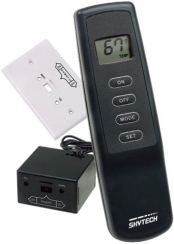
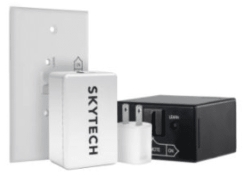
Here is the reset and re-learn procedure from the SkyTech 1001TH-A manual:1. Test without the remote: Move the receiver's slide switch to the ON position (toward the LEARN button). If the fireplace lights, the problem is with the remote-receiver pairing, so continue with the steps below. If it does not light, the issue is likely with the ignition or gas supply, and a qualified gas technician should inspect it.2. Set to REMOTE: Because the batteries were replaced, the receiver must re-learn the transmitter security code. Move the receiver slide switch to the center REMOTE position. The receiver will not learn the code in the ON or OFF position.3. Activate learn mode: Using the end of a paper clip or a small screwdriver, gently press and release the black LEARN button inside the small hole labeled LEARN on the front of the receiver. The receiver will beep.4. Pair the transmitter: Within a few seconds after the beep, press any button on the handheld transmitter and release it. The receiver will beep several times to confirm the code was accepted.If pairing fails: Wait 1 to 2 minutes so the receiver can reset its timer, then repeat the process up to two or three more times. Also confirm that the batteries are correctly positioned in both the transmitter and the receiver.If the receiver beeps every few seconds: Press the ON or MODE button on the transmitter to reset it. The receiver shuts off the appliance and beeps when it has not received a signal for an extended period. The receiver must also be located where the internal case temperature stays below 130°F, or its heat safety feature will activate.For full instructions, see the SkyTech 1001TH-A manual. If the system still does not respond after re-learning, contact SkyTech technical support at 855-498-8324.
Answered by: Tyler M. on Nov 12, 2026

Helpful?

0
Pat from CT asked:
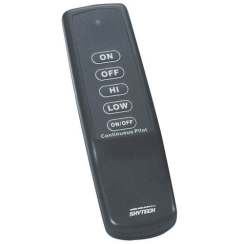
My dog chewed the remote for the propane stove and I need to replace it. Do I have to buy the entire kit or can I just buy a remote and it will work fine?
You will need to replace both the transmitter and the receiver box.
Answered by: Tyler M. - NFI Master Hearth Professional

Helpful?

0
Douglas R. from McCormick, SC asked:
What are the dimensions of the SkyTech FK-180 Universal Fan?
12 3/4" L x 4 3/8" H x 4 5/16" D
Answered by: Will M.

Helpful?

0
Ken W. from Mansfield, Ohio asked:
Is the Sky Tech 1001-A receiver and remote a viable replacement for Sky Tech 1001 receiver and remote?
Yes indeed.
Answered by: Tyler M. - NFI Master Hearth Professional

Helpful?

0
Showing 4 of 8 Questions and Answers
Ask a Question

Customer Images

About SkyTech

The team at Skytech has decades of hearth experience, they know their products inside and out like it's famous Skytech remote. Skytech, thanks to it's remotes and other fireplace accessories has become one of the fastest growing companies in Iowa, all thanks to their dedication and hard work to bring a durable and working product into your hearth and home life.
chat-bot-icon